I have a creature moving to a navmesh link end point, then moving along the link into a warehouse.
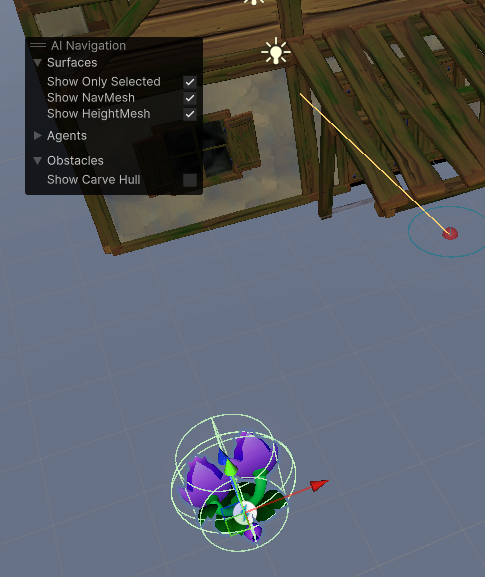
The small red sphere is one of the link’s end points. In Update(), when _navMeshAgent.isOnOffMeshLink is true (meaning the agent has reached a nav link end point), some code takes over to smoothly move the critter to the other end point.
Problem (of course): Unity treats the link end point as a navigation obstacle. It doesn’t matter whether the game object representing the end point is active. So the critter started moving into the warehouse before it met the end point, when it got to within the obstacle radius.
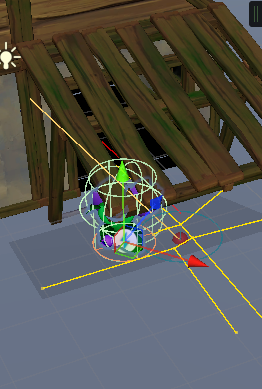
Here the critter started moving inside the warehouse when it was to the left of the link end point. That meant some clipping.
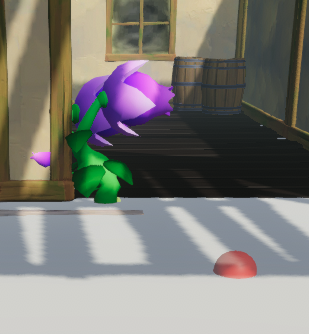
What I wanted was for the critter to get directly over the end point of the link before it started warehousing.
Ack!
A hack is to change the agent’s avoidance radius when it gets close to the link end point:
private float _initialAvoidanceRadius;

private void Awake()
{
	...
	_initialAvoidanceRadius = _navMeshAgent.radius;
}

private void Update()
{
	if (_warehouseNavStage == WarehouseNavStage.WanderingOutside)
	{
		float distanceToWarehouseLinkStartPoint = Vector3.Distance(transform.position, linkEndPointOutside.position);
		if (distanceToWarehouseLinkStartPoint < 3f)
		{
			_navMeshAgent.radius = 0.01f;
		}
		else
		{
			_navMeshAgent.radius = _initialAvoidanceRadius;
		}
	}
	...
}
Now the critter gets over the link’s end point before turning into the warehouse:
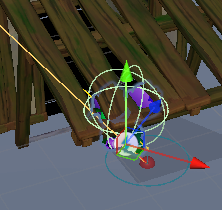
No clipping.
There may be a good reason for Unity to treat navmesh link end points as obstacles. I don’t know what it is.