Another in the remind-myself series. I might be wrong.
Say you have a game object with a detail stamp component using a range falloff. You get an oval within which the detail objects are spawned. The size and shape of the oval are defined by the GO’s transform’s scale. When the X and Z scales are the same, you get a circle.
There’s a detail density which… well, you know, gives a density.
Use the range falloff’s start and end values to specify how spawning tapers off:
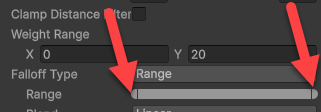
Imagine two concentric circles inside the overall range circle. The diameter of the inner circle is defined by the start value. It’s where the spawning density starts to taper off. The spawning density remains the same from the center of the circle until the edge of the start-value circle.
The outer circle is defined by the end value. It’s when the spawning density falls to zero. So, if you give a detail density of 2, the density will be 2 from the center of the circle until the start-value circle, then it will fall gradually, reaching zero at the end-value circle.
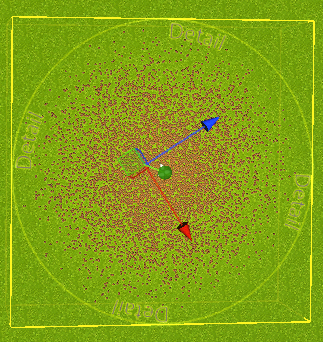
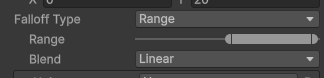
Here are the start and end values as far apart as they can be, as in the screenshot above. The start value is zero, so the spawn density starts to fall off immediately.
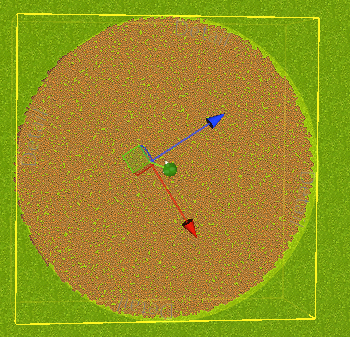
Here the start and end values are as close as they can be, both at the end of the scale.

There is no falloff, since spawning starts to fall off (the start value) then immediately goes to zero (the end value)
Here both are in the middle:

The spawning density starts to fall off about halfway to the end of the outer circle, then immediately goes to zero:
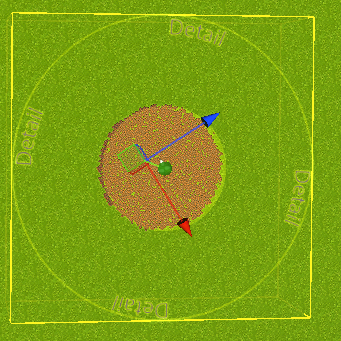
So, the closer the start and end values are, the sharper the edges of the spawning area.
Here’s another:
The spawning density starts to fall off about halfway to the GO’s circle’s edge, dropping to zero at the edge of the circle:
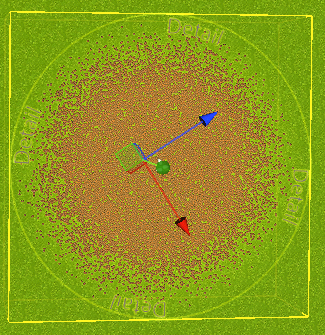
How are densities computed between the start and end circles? That’s what the blend parameter is for. All the screenshots use a linear blend. Here’s the last one again but with Smoothstep:
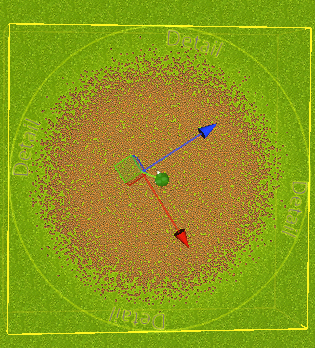
It looks like it gives you fewer outliers, that is, isolated instances. I’m not sure, though. Play with the blend to see what happens.