Another remind-me post. Easy to do, took me hours to work out how. This works in a test scene. I’m not confident it will work in a complete game until I try it for realsies.
Here’s an island in an ocean:
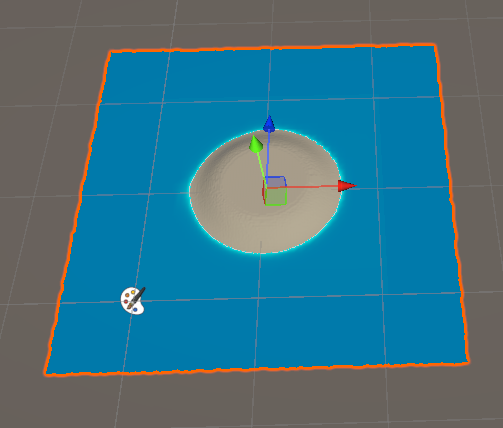
I want a navmesh on the island, but not in the sea.
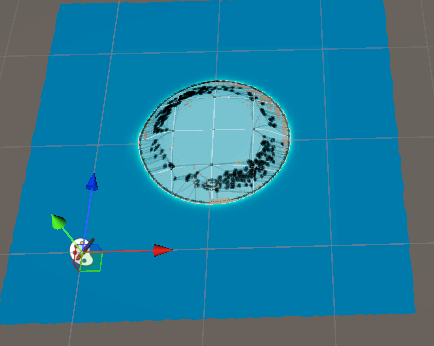
It’s not that the navmesh goes underwater and you can’t see it. The navmesh should not be walkable at all, except on the island. If I hide the ocean, the navmesh should still be constrianed to the island:
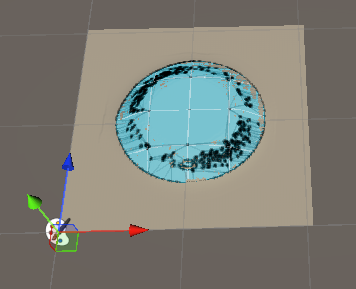
How to do it? Here’s the hierarchy:
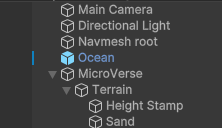
The ocean is a prefab from the Stylized Water 3 asset. The terrain is made with Microverse using a heightmap and a texture map.
Two of the GOs have navmesh components:
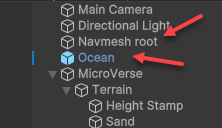
Just those two have navmesh stuff. Not the terrain.
The navmesh root GO has a navmesh surface component:
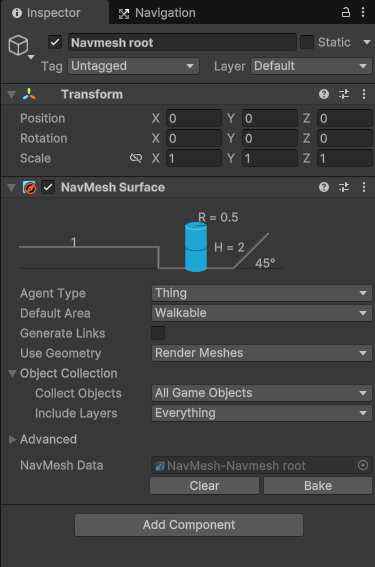
The GO has no renderer or mesh, or any direct visual representation. It’s just a container for the NavMesh surface component. The component is global, collecting all GOs on all layers. It uses render meshes rather than colliders to define the navmesh geometry. That might be a problem later; I don’t know yet.
The component’s default area is walkable, even though we want most of the level to not be walkable:
The approach is to make everything walkable, then subtract what is not. I couldn’t work out how to do it the other way around.
The Ocean GO has the only other nav-related component, a navmesh modifier:
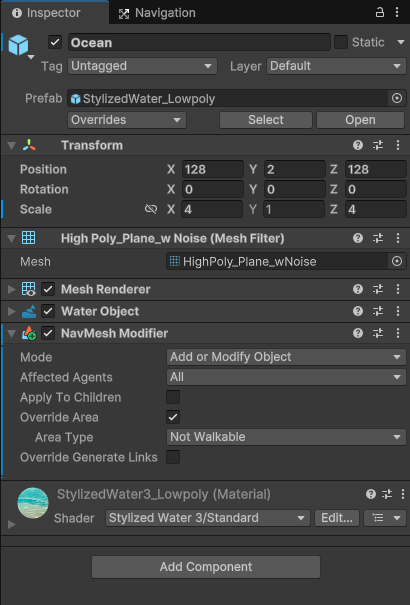
The area type is “Not walkable,” subtracting it from the navmesh. The ocean GO has a mesh renderer, so affects the navmesh’s geometry.
The terrain’s Y value is zero at the bottom of the ocean, rising to about 4 meters at the top of the island. The ocean is at 2 meters, so the island sticks out.