Based on https://docs.unity3d.com/Packages/com.unity.ai.navigation@2.0/manual/NavInnerWorkings.html
I hope this is right.
In Unity the agents are cylinders. The base of the cylinder rests on the navmesh. When Unity creates the navmesh agent, it positions the base of the cylinder at the pivot point.
Reminder: the “pivot point” refers to the origin or central point of an object’s local coordinate system. It is the point around which transformations like rotation and scaling occur.
The pivot point of a cube is at its center.
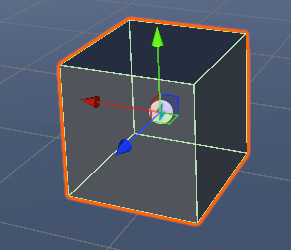
Here’s the navmesh agent’s cylinder.
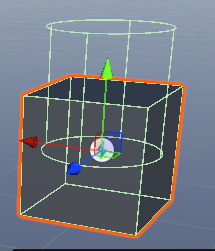
The base of the agent’s cylinder rests on the navmesh at runtime. Runtime with agent off:
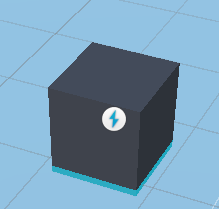
Turn agent on:
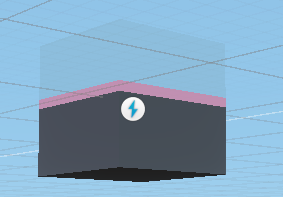
Navmesh agent base offset set to 0.5:
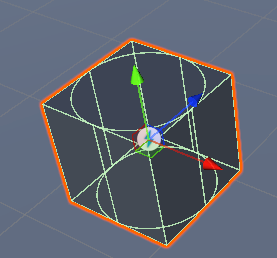
The positive value pushes it down.
Baking is based on the radius and height in the agent settings of the nav tab, not the navmesh agent settings. The latter are used for obstacle avoidance at runtime.
This is the baked mesh around an obstacle cylinder with a capsule collider matching its radius. In the agent settings, the radius is 0.1:
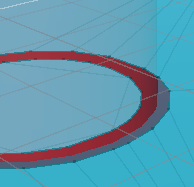
The mesh is tight around the obstacle cylinder.
At runtime, the square’s collider hits the obstacle cylinder, pushing the navmesh agent’s cylinder away from the path it wants to take.
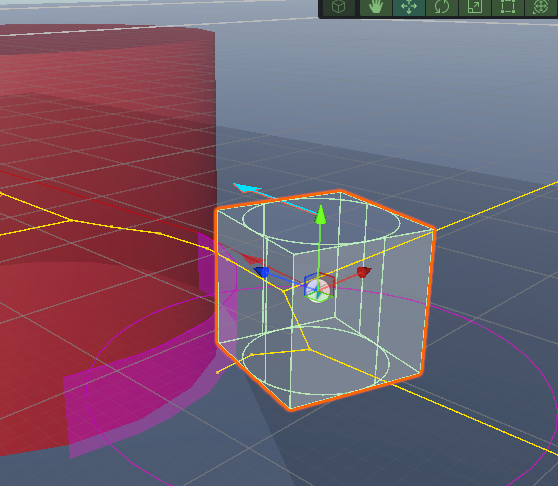
Let’s try to get the center of the square’s agent close to follow the edges of the nav polygons close to the cylinder. Here’s the mesh based with an agent radius of 1:
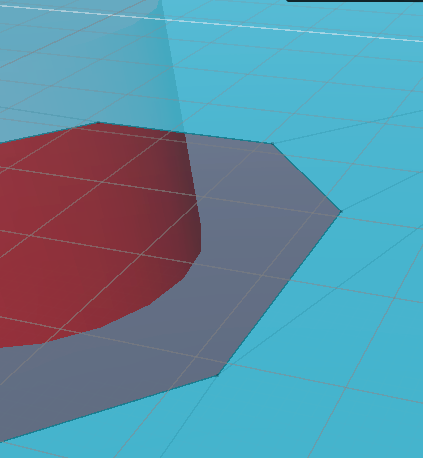
Here’s the navmesh agent’s radius of at 0.8, so it captures the enter mesh and collider:
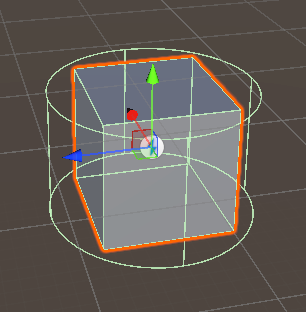
Here’s what happens at runtime when the cube is near the obstacle cylinder:
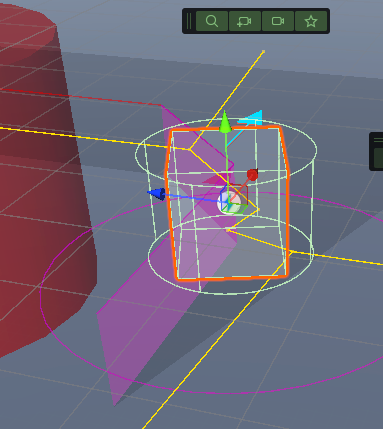
The center of the agent’s cylinder is on the edge of the navmesh near the obstacle cylinder. Since the agent’s cylinder’s radius is 0.8 and the nav mesh was based with a radius of 1, the square is away from the obstacle cylinder.
Let’s reduce the baking radius to 0.4. At runtime:
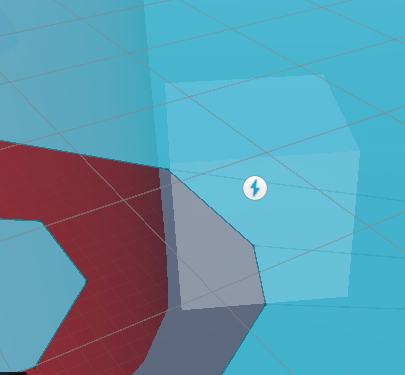
The navmesh cylinder is following the edges of the mesh. The cube is very close to the obstacle cylinder, but not touching. But why 0.4? Not 1, or 0.5?
Hmm.
Here’s a dragon.
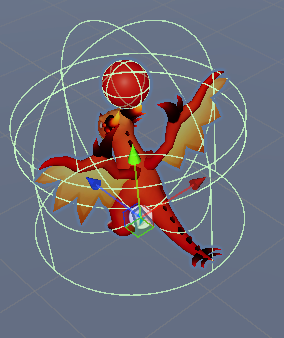
It’s capsule collider has a radius of 2.5. So does the nav mesh cylinder. That’s why the two green circles in the middle are close.
Let’s set a baking radius of 0.1. It’s the pink wall in this:
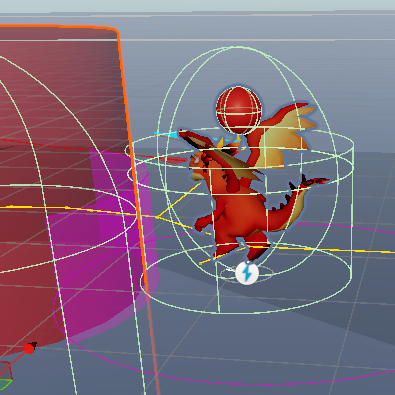
The colliders are pushing against each other, forcing the center of the dragon’s navmesh cylinder away from the edges of the mesh’s polygons.
[Linear damping]
Sometimes the dragon would fly around the cylinder, rotate to face the target, and move off forever, facing backwards. The rigid body’s linear damping was 0. This only happened sometimes when damping was 0. Changing it to 1 seemed to fix the issue. Maybe. I don’t know if 1 is the right value.
[/Linear damping]
Let’s try a baking radius of 2.
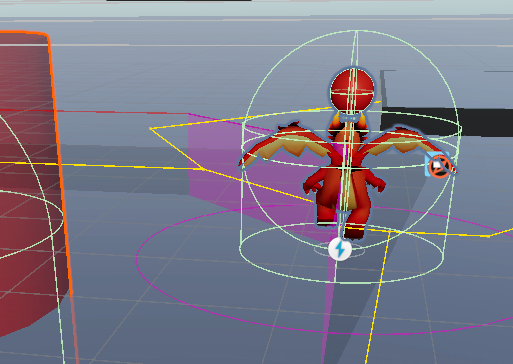
The center of the agent’s cylinder is on the edge of the navmesh’s polygon. The colliders of the obstacle cylinder and the dragon are far away from each other.
I tried working out what the minimum baking radius would be to not get a collision with the obstacle cylinder. The dragon’s agent radius and collider radius were both 1.25, so I thought it might be around there. Wrong. It was between 0.8 and 0.9.
I don’t know why. It may be navmesh polygon size. The bake radius doesn’t give you circles around obstacles, but polygon approximates:
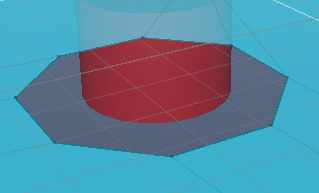
For a dragon following the edges, the distance from the obstacle would rarely be the baking radius exactly. Unity could use the baking radius as the min, max, or average of the collider-to-edge distances, for all I know. I didn’t look it up.
In the navmesh surface component, reducing the voxel size (thereby increasing the voxels per agent) improves the fit of the polygon edges to the obstacle cylinder’s radius:
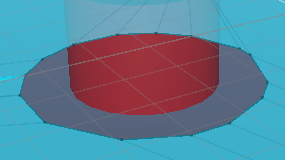
That might change the effect of the baking radius size. I didn’t care enough to experiment.
I don’t know what the right baking radius is. A place to start:
- Set the agent cylinder to compass the object, whatever value that might be.
- Use the same value in the baking radius.
The agent will keep its distance from obstacles. If gaps between obstacles are narrow, maybe use a smaller baking value. Adjusting voxel size will make the mesh follow obstacle edges more closely.